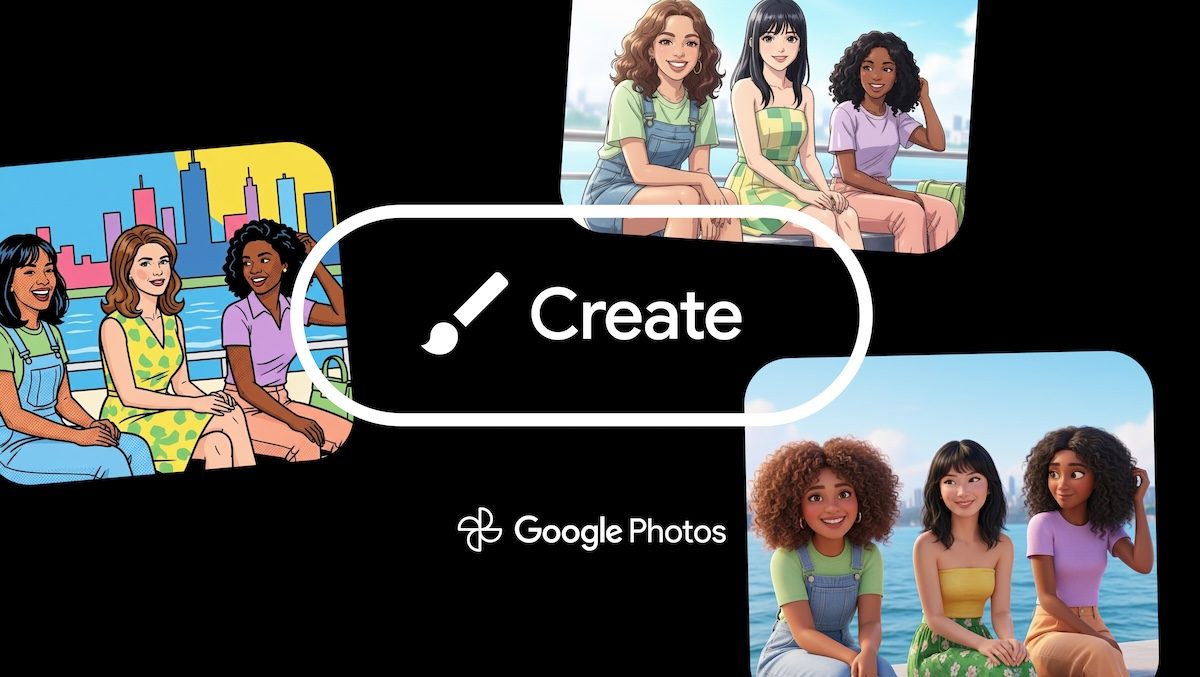
Google has made official theArrival of the “Create with AI” feature (in English Create with AI) Also on iPhone and iPad. Until now confined to the Android environment, this suite of tools allows you to rework your images, transforming them into original graphic creations through the use of generative models. The update, which aims to make the creative process dynamic and always new thanks to the constant release of new styles, involves the use of pre-set templates to radically change the aesthetics of the photos in the library. Let’s see in more detail what the function consists of and which markets it is arriving in.
How it works Create with Google Photos AI
The function “Create with AI” it does not limit itself to applying static filters, but uses artificial intelligence models to interpret and reconstruct the image according to specific styles. The goal declared by Google’s developers is to keep the experience always fresh: the available models will not be fixed, but will be updated periodically to ensure a continuous flow of new creative ideas.
It is important to note that the system architecture provides two levels of access. While a wide range of templates are available to most eligible users, access to some more sophisticated and specialized variants is contingent on meeting the requirements for Gemini (Google’s most advanced AI model) features within the Photos app.
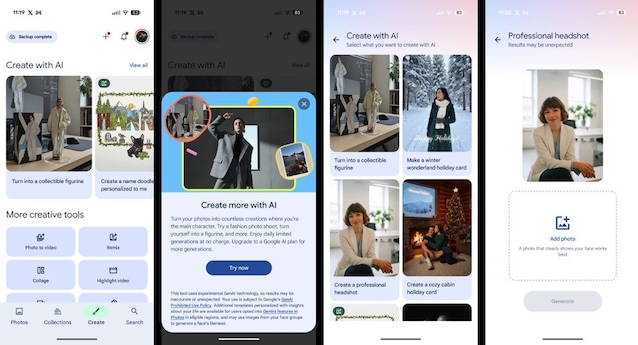
For those who are in one of the territories affected by the rollout (find the complete list later), the procedure for activating the function has been integrated directly into the main interface of the Google Photos app for iPhone. These are the steps to take:
- It starts theGoogle Photos app on iPhone.
- You interact with the card Create located in the bottom bar.
- The item appears at the top of the screen Create with AI.
- At this point, the interface presents us with a choice between different types of models, organized to facilitate navigation. We can swipe left to immediately view the Featured modelsi.e. the most popular or recent ones, or opt for an overview by tapping View all to explore the full list of available models.
Regarding templates, you can use those personalized and those not personalized: the former are marked with a specific badge and their peculiarity lies in the ability to start generation immediately, without necessarily requiring a starting photo from the user; for the latter, however, the AI acts like a stylist on pre-existing content, which means that to apply the desired creative style you need to tap the slot, load a reference photo from the library or tap the option Edit to act on the photo.
The requirements to use the new feature on iPhone
To be able to use Create with Google Photos AI on iPhone you must reside in one of the countries where the update is being distributed: At the time of writing, these are the affected markets:
- Argentina.
- Bangladesh.
- Brazil.
- Colombia.
- Egypt.
- India.
- Indonesia.
- Japan.
- Mexico.
- Pakistan.
- Philippines.
- Türkiye.
- United States.
At the moment Europe seems to be temporarily excluded from the arrival of the functionbut according to some rumors, within a few weeks even in our latitudes we should be able to take advantage of the functionality.
When it comes to security and suitability requirements, Google has established strict limits. THE’minimum age to access the Create with AI function is at least 18 years old. The feature is available for users only personal Google accounts. This means that anyone using an email address managed by a company (Google Workspace) or an educational institution will not be able to access the option.
