There Instagram map It represents one of the most discussed news of the Meta Photographic Social Network of the last few months, because it introduces an element that directly affects the privacy sphere and which, in short, allows you to Share your position in real time with selected friends. Meta presents this function as a practical and fun way to keep in touch, discover nearby events or to meet spontaneously, but the dynamics also raise questions related to data protection. The use of geolocation services means that the app registers where you have been at a given time, for how long and, in some cases, with whom. This information can reveal daily habits and usual movements, becoming potentially interesting not only for friends, but also for advertisers, companies or, even, bad unscrupulous.
Some IT security experts have highlighted that the function, despite being optional, could end up pushing many to share more than desired, thanks to the social dynamics typical of Instagram, where not to remain “back” is seen as a way to buy the fomo. Furthermore, Meta does not provide clear details on the duration of data storage and uses generic expressions such as «For all the time necessary “leaving doubts open about the actual management of information. To clarify the matter, in this article we will first see What is the Instagram map, how to use it and, if it does not convince you too much privacy side, how to disable it.
What is the new Instagram map function
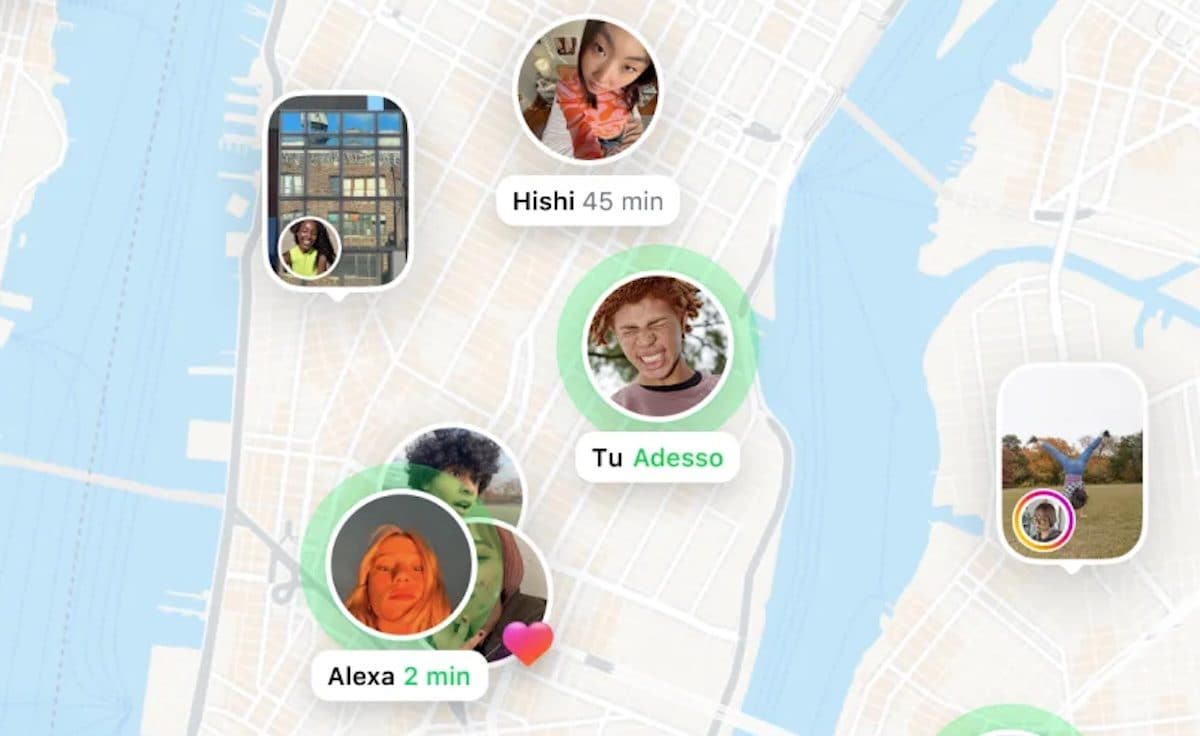
The Instagram map is a function based on the localization services of smartphones, i.e. on systems such as GPS, Wi-Fi and Bluetooth that allow you to calculate the position of the device. Once activated, it allows you to Show to selected friends where you are in real time. It is not limited only to a static point: the map can also include content with geographical tags, such as stories or posts published in the last 24 hours.
The activation is optional and default sharing is not active, but the doubt remains on how any reactivations or data already saved are managed. What makes the function different from simple geographical tags is the constancy of registration el ‘immediacy of sharing. It is precisely this aspect that makes us discuss, as it opens up to the possibility of an almost continuous monitoring of the daily life of users.
How to use the Instagram map function
THE’Use of the Instagram map It was designed to simplify interactions. By activating it, you can choose who among your friends will be able to view your position. The idea is to encourage spontaneous encounters or to discover events and places that are nearby. To use the function, therefore, follow these simple steps:
- Open theInstagram app and perform the login.
- Tap the Miniature of the profile photo at the bottom right.
- Press on ≡scroll the menu and touch the items Device authorizations> Position settings And make sure you have granted permission to access your position. If the authorization is denied, touch the items Activate settings on the position> Continue and proceed with the activation.
- Tap the icon of the house (below left) and then that ofairplane (top right).
- Take tap on the item Map (the icon of the planisphere above) and, if it is the first time you use the function, press on After you; otherwise, touch the voice Invite friends.
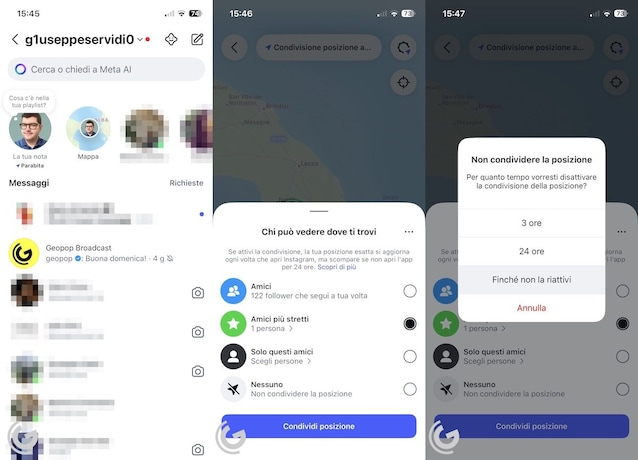
- Select the privacy option you prefer between Friends, Closest friends, Only these friends or Nobody. Then touch Share position. In this way, your friends will know where you are and you can know where they are on the map (if they have activated the same option).

How to deactivate the Instagram map function
If you decide that the sharing of the location is not for you and you want deactivate the Instagram map Follow these other steps.
- Start theInstagram app and do the login.
- Take the icon of the house (below left) and then on that of theairplane (top right).
- Press on the voice Map (the icon of the planisphere above).
- Tap the wheel with the position indicator (top right).
- Select the option Nobody and then Until it reactivates it.