With Lyria 3 from Google is now possible create short songs directly inside the Gemini appsimply using a textual description or visual content as a starting point. Lyria 3 is the new music generation model developed by Google DeepMind and allows you to get audio clip of approximately 30 seconds which combine music and synthetic voice. It can also automatically generate song lyrics when required and, compared to previous versions, offers more precise controls over vocal style, tempo and timbre. The model is not intended to be used as a tool to produce professional songs intended for the recording market (hence no songs for future editions of the Sanremo Festival), but as a technology designed for personal expression and integration into social and multimedia flows. Google accompanies the launch of the new model with content tracking systems and clear rules on copyright.
How Google’s Lyria 3 works with the Gemini app
Lyria 3 is the third iteration of Google’s music model, which leaves experimental contexts and APIs to arrive directly in the Gemini appalso in Italy. From an operational point of view, its operation is conceptually very simple: we describe in words the musical idea we have in mind, indicating a genre, a mood or a personal memory, or we upload a photo or a short video. The system analyzes the prompt (the textual instruction fed to the AI) and generates a trace consistent with the context provided. One of the most significant differences compared to the past is that you don’t necessarily have to write the lyrics of the song: Lyria 3 is able to produce them autonomously, adapting them to the required emotional tone.
The Creative control is broader than in previous versions. We can specify the musical style (for example pop, electronic or afrobeat), the tempo (expressed in beats per minute) and the type of synthetic voice. This leads to more realistic and structurally coherent tracks, although still within the short format of the 30 seconds. The app also generates a automatic cover associated with the songfacilitating sharing via download or direct link. The stated goal is not to create musical masterpieces, but to provide a quick and accessible tool for adding a personalized soundtrack to your social content.
Lyria 3 doesn’t just live inside Gemini. Google is also distributing it in the Dream Track environment dedicated to YouTube creators, with a particular focus on short formats such as Shorts. Here the musical generation serves to improve the soundtracks of quick videos, confirming the orientation towards increasingly agile and immediately usable productions.
A central aspect concerns the transparency and the protection of rights. All generated tracks include SynthIDan invisible digital watermark that allows you to identify content created with Google’s AI. Gemini can also analyze a user-uploaded audio file to see if it comes from their systems, taking advantage of both the presence of the watermark and the model’s automatic reasoning. From the point of view of copyrightLyria 3 is designed for original expression and not to imitate existing artists: if we quote a real musician, the AI will only use the general style as inspiration, applying filters to avoid direct similarities to protected works.
Access to Lyria 3 is restricted to members adult users and covers several languages (those announced by Google are English, German, Spanish, French, Hindi, Japanese, Korean And Portuguesebut from our tests it seems that even theItalian is already available), and its availability should increase in the future. Plan subscribers Google AI Plus, Pro And Ultra have higher generation limits than free users. The video below explains all the functions of the music generating tool.
How to create music with Gemini’s AI music generator
If you want to start playing around with the model a bit, you’ll find the following steps helpful create music with Lyria 3’s AI in Gemini.
- Log in to Gemini with your Google account.
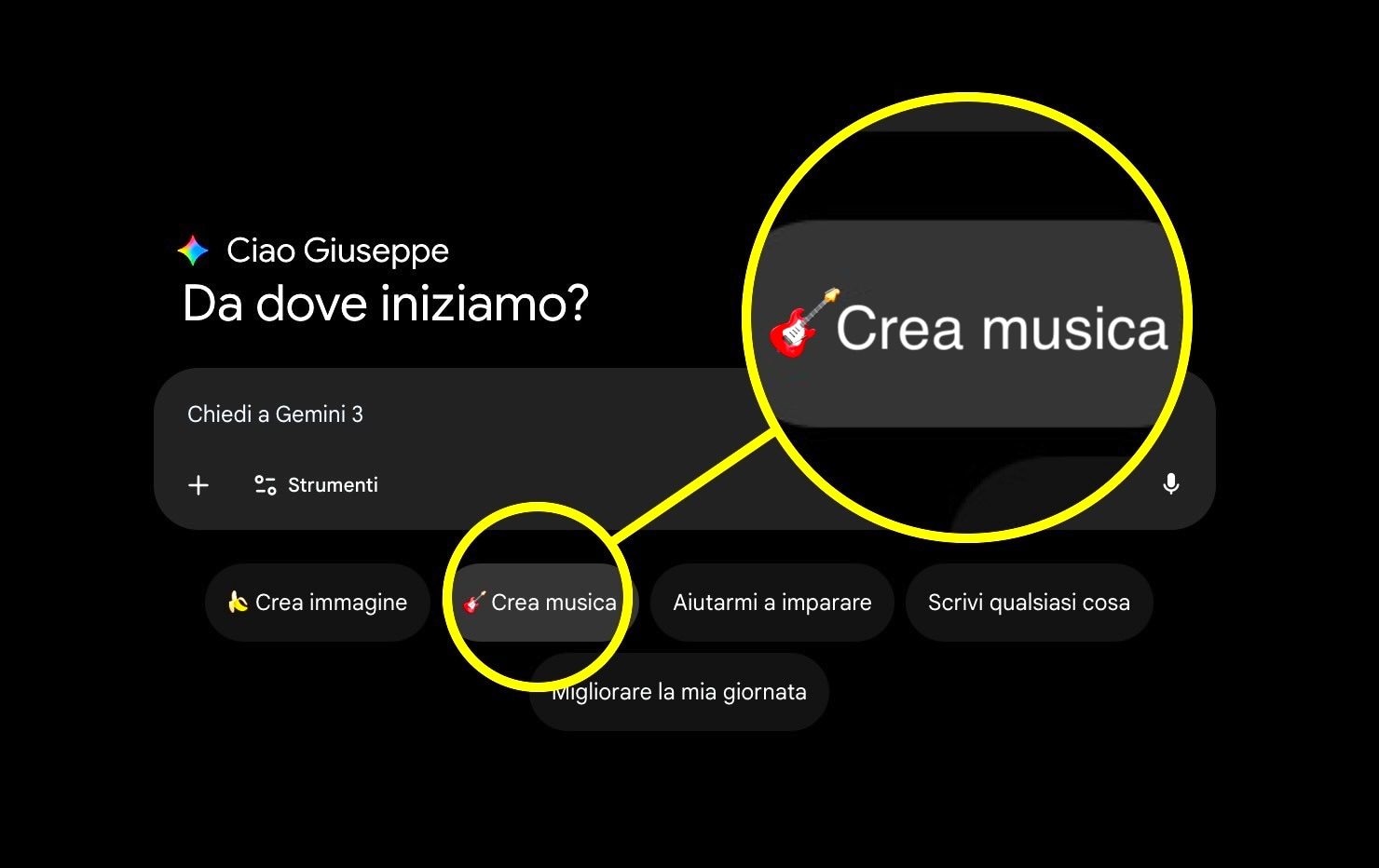
- Click on the button Create music.
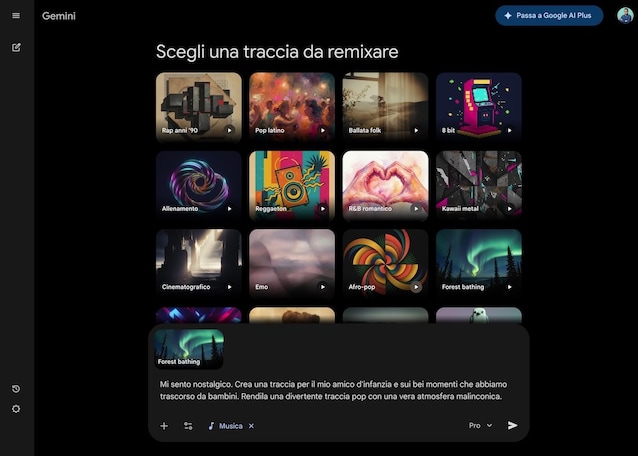
- Select the track to remix among those proposed (by clicking on the button Play at the bottom right of each cover you can reproduce the preview).
- In the field Customize this tracktype the prompt that will allow the model to generate the music you want.
- Wait for the template to process the content and then use the buttons that appear on the song cover to share it with other users or download it in MP3 format.