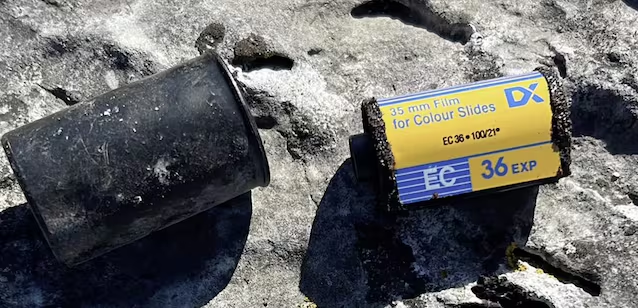
A old camera rollwhich remained for about forty years among the rocks of the Torre di Jesi, in the Frasassi Gorge, was found by the geologist and climber Lorenzo Rossetti. The find then arrived in the hands of the Fabriano filmmaker Paolo Bacchiwho entrusted it to a specialized laboratory for development.
From the film, damaged by humidity and time, they emerged images of mountaineersan Alpine Rescue exercise and moments spent with friends. The faces, however, were difficult to recognize due to a strong green cast, noise and poor definition. Bacchi therefore used theartificial intelligence to improve the shots and published a video on Facebook, thanks to which the photographs were dated 1986 and some protagonists have been identified.
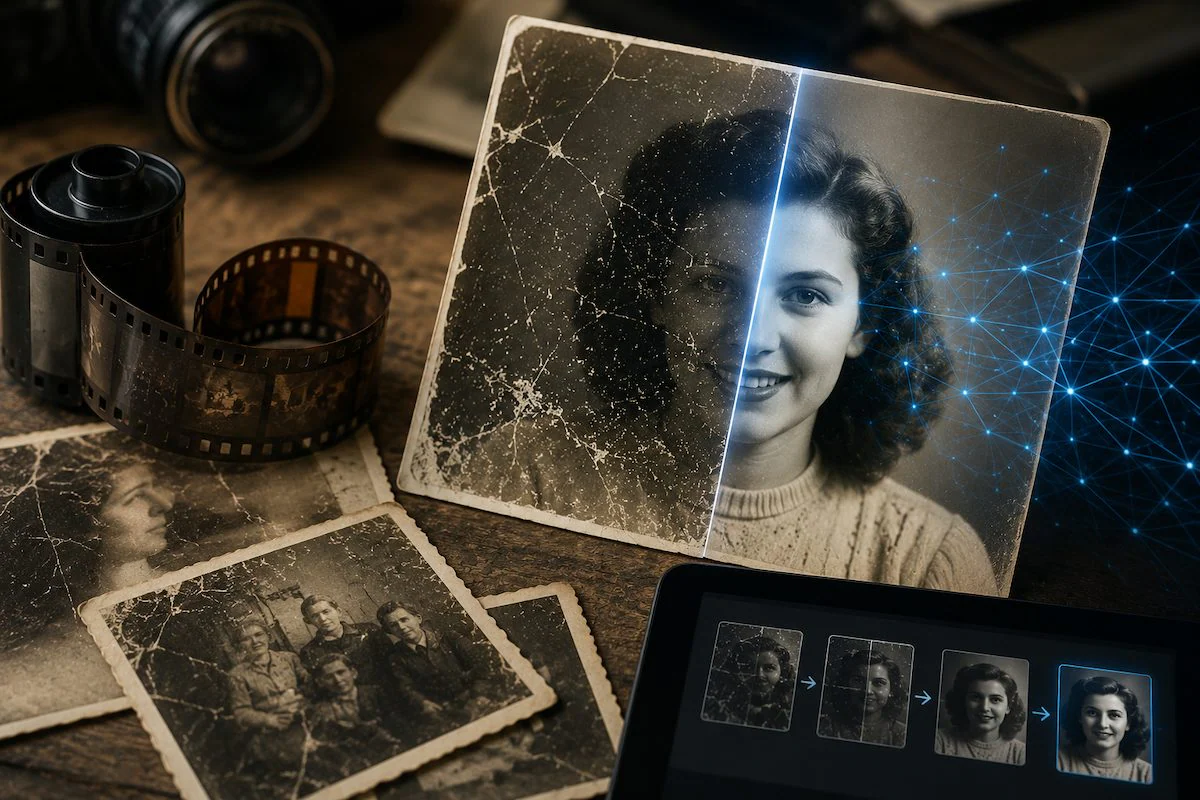
AI has made photographs more readable after development and digitization, but it has not been able to recover with certainty all the information erased by time: when the data is not enough, it generates plausible elements. This is where the restoration fades into reinterpretation.
Because old photographs deteriorate
Prints, negatives and slides are sensitive physical materials light, temperature, humidity and pollutants. Over time the dyes can degrade at different rates, causing the photograph to take on a dominant green, red, yellow or blue. Dust, fingerprints, scratches and creases can also hide portions of the image, while a very humid environment favors mould, deformations and adhesions between surfaces.
We must distinguish the restoration of the physical original from that of its digital copy. Software can work on scanned pixels, but it doesn’t repair paper, stabilize film, or remove mold from the substrate. If the photograph is wet, stuck to the glass, very fragile or contaminated, intervening without experience can cause irreversible damage: in these cases it is preferable to contact a conservation professional.
What AI actually does during restoration and how it arranges photos
With “restoration via AI” indicate different operations. The simplest ones correct brightness, contrast and color balancereduce noise and remove small imperfections. If a scratch passes through a uniform area, for example, the program can estimate how the area continued by analyzing the surrounding pixels.
A second intervention is the super-resolutionthat is, the increase in apparent definition. A traditional enlargement creates new pixels by interpolating existing ones; systems based on machine learning instead try to predict which high-resolution structures are compatible with the starting image. Hair, edges, fabric textures and features can thus appear clearer, even when they are barely distinguishable in the original.
The most delicate step is the generative reconstruction. If part of the face is very blurry or missing entirely, the model cannot know for sure what it looked like. It then uses what it learned during training to generate eyes, skin, hair or outlines that are consistent with the rest of the scene.
For this reason, the recovery of highly degraded faces is a complex problem, in which a balance must be found between visual quality and identity preservation of the person portrayed.
How to properly digitize an old photo
The quality of the processing also depends on the starting file. Photographing a print with your smartphone at an angle or in the presence of reflections can introduce other defects, such as perspective deformations, overexposed areas and loss of detail. Whenever possible, it is best to use one flatbed scanner for printed photographs and a device suitable for acquiring negatives and slides.
For a common photographic print rich in details you can start approximately from a scan of at least 400 ppiincreasing the resolution when the original is very small. Film and slides generally require higher values and specific tools. If the negative is available and well preserved, digitize it directly often allows you to acquire more information than scanning the relevant printout.
Surface dust can be gently removed before scanning, but only if the material is stable and dry. Do not use household detergents nor attempt to separate a photograph adhering to glass or other supports: together with the dirt, part of the emulsion containing the image could also come off.
It is also advisable to keep one unmodified master copy and work on a duplicate. For archive, a lossless format is preferable, such as TIFFwhile JPEG can be used for a lighter version intended for the Web. Repeatedly saving the same JPEG leads to further compression and a progressive loss of visual data.
How to use AI without distorting the shot
After digitization you can use assistants such as ChatGPT And Geminito photo editing programs such as Photoshop or to services of upscaling. Assistants work via text instructions, professional software offers more precise control, while specialized resources focus primarily on increasing definition.
With these conversational tools it is best to avoid generic requests such as “enhance this photo”. The more vague the instruction, the more freedom given to the model. It is preferable to specify which defects to correct and which elements to leave unchanged. A starting prompt could be:
Restore this photograph by reducing scratches, dust, and noise, correcting the color cast, and moderately improving contrast and sharpness. Keep the composition, clothes, background, expressions and features of the people unchanged. Don’t add objects or modernize the look of the shot.

Interventions should be requested progressively: first exposure and colors, then dust and scratches, finally sharpness and magnification. The most invasive changes, especially on faces or missing parts, should only come at the end. If the tool allows you to select a precise area, it is convenient limit the operation to the damaged area rather than regenerating the entire scene.
It’s important compare each version with the original scan. Asking for a “full restoration” all at once could change the color of clothing, the shape of objects, expressions, or some elements of the background without the change being immediately apparent.
Before uploading the file to an online service it is advisable to also check the conditions of use and the settings relating to data management, especially if other people appear in the shot.
What details are really recovered and what are the limitations
The main distinction concerns the amount of information still present in the photograph. If a face preserves contours, proportions and variations in brightness, the software can make it more readable. However, when the data is insufficient, the model fills the gaps with a plausible reconstruction. Because of this sharper does not automatically mean truer..
A restored face may be recognizable, but contain hair, teeth or skin details that are absent or indistinguishable in the original shot. Automatic coloring is also a reconstruction: the system can attribute credible shades to a dress or a wall, without however knowing the original color in the absence of other references.
When a photograph has historical, journalistic or investigative value, it is therefore appropriate keep the original and show the processed version separatelydeclaring the generative interventions. The enhanced image may provide clues or facilitate recognition, but it does not demonstrate that every detail produced by the model corresponds to reality.
This is what happened with the film found in the Marche region: the processing brought out useful details, while the identification came from people who knew the protagonists. In this case, AI therefore acted as a support for human research. The limit remains clear: what is still recorded in the image can be highlightedwhile what has been canceled can only be hypothesized.