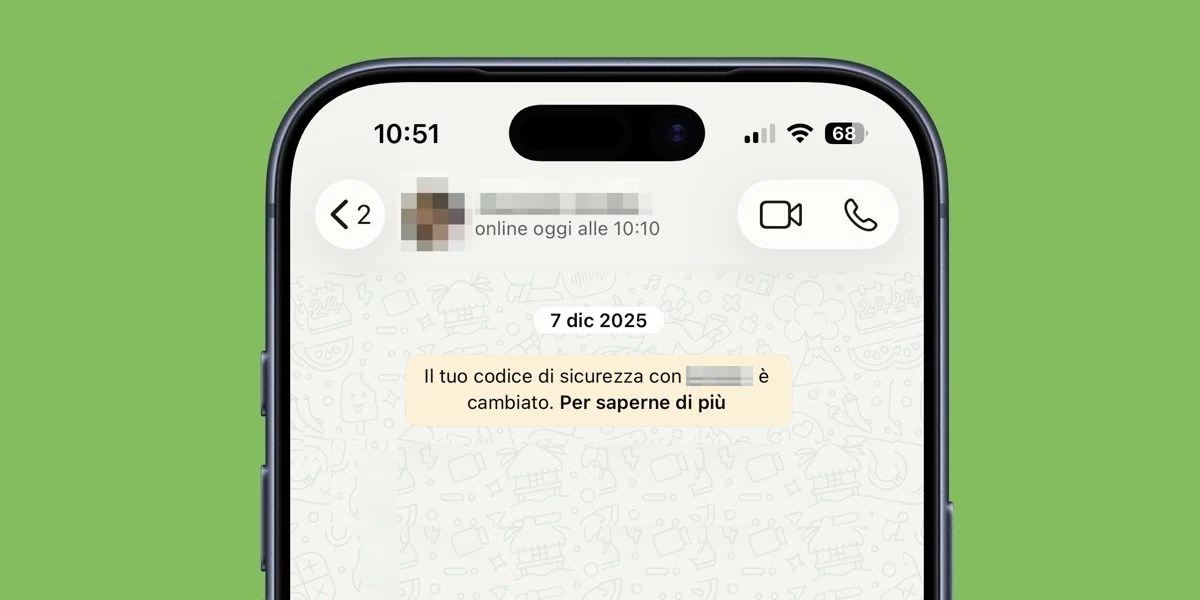
Have you ever noticed the appearance of a small yellow box with writing inside “Your security code with (contact) has changed”. If you don’t have the faintest idea why this message appeared, we’ll tell you right away that this has to do with WhatsApp’s end-to-end encryption encryption, the system that protects the contents of conversations and calls while these interactions take place between users. It therefore does not indicate a danger or theft of the account, but only that the encryption key between you and one of your contacts has been updated. Let’s see the role this code has in end-to-end encryption and, above all, because sometimes WhatsApp security code changes.
What is WhatsApp security code
To resolve the question that brought you to this in-depth study, we must start from the basics and, therefore, actually understand what is this WhatsApp security code. You should know that each individual chat protected by end-to-end encryption on WhatsApp has a unique code, visible in the contact information screen. You can find it by entering the chat, tapping the name of the person and then tapping on the item Cryptography. On this screen you can view a QR code and also a sequence of 60 digits.
Be careful, though: this code is not the real “key” that protects your messages: it’s simply a code that two people can compare to make sure their chats are protected by encryption. The real key, in fact, remains secret.
Why change the code and what to do
But if the security code is tied to WhatsApp’s end-to-end encryption, why does it sometimes change? Because it is linked to the configuration of the devices used in the conversation. This means that when you or your contact reinstall WhatsApp, change smartphone or add or remove a device linked to the accountthe code associated with the chat can be updated and it is at that point that WhatsApp informs the users involved of the change.
The notification also arrives if connected devices are added or removed, such as a computer connected to WhatsApp web.
The notification, therefore, is essentially a useful notice to let you know that The elements used to verify chat security have changed. If you want to check that everything is OK, you can compare the security code with the one displayed on your contact’s device.
To do this, you can scan the respective QR code when you are physically close or compare the 60 digits. If the codes match, you have confirmation that the conversation is protected correctly. No further action is required.
How to disable code change notifications
If you don’t want to receive the code change notification every time, you can turn off these notifications. On Android you have to open WhatsApp, enter Settingsfollow the path Account > Security Notifications and then deactivate Show security notifications on this device. To reactivate them, simply follow the same path and re-enable the option again.
On iPhone the path is very similar: go to the section Youselect the item Accounts and then into Security notifications. From here you can activate or deactivate Show security notifications on this phone using the appropriate switch.
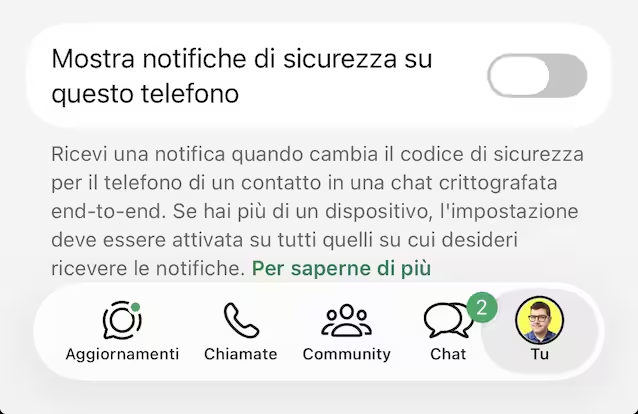
Even using WhatsApp Web you can choose whether to receive these alerts or not. Just enter in this case too settingsselect Accounts and so Security notifications. The option Show security notifications on this computer allows you to activate or deactivate these alerts.