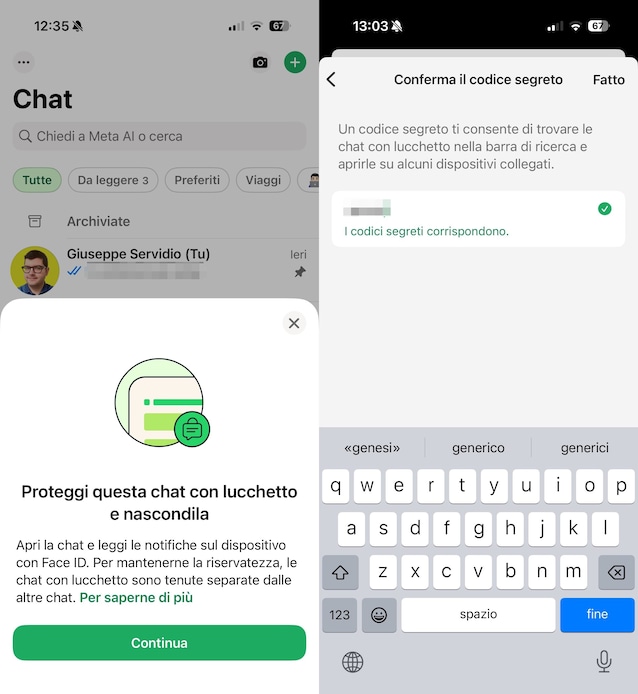
The functionality WhatsApp chat lock represents an advanced tool for increasing the privacy of some specific conversations on the well-known messaging platform, moving the selected threads from the main list to a separate and protected folder. This ensures that, when we activate this option on a specific conversation, be it single or group, the system immediately hides it from the “standard” flow of conversations and inhibits explicit notifications: on the smartphone display, upon receiving a notification from a “locked” chat, only the generic wording “WhatsApp: 1 new message”, concealing both the identity of the sender and, consequently, the content of the message.
To access these protected messages it is necessary to overcome a security level identical to that used to unlock the smartphone, i.e.biometric authentication (such as facial recognition or fingerprint scanning) or unlock code traditional. It is crucial to note that although the chat is locked, audio and video calls from those contacts will continue to arrive regularly and will not be blocked. Furthermore, this function offers the possibility of setting a personalized “Secret Code”, distinct from the phone password, which allows you to completely hide the blocked chats folder, making it invisible to anyone who does not know the specific combination to enter in the search bar.
How to activate the Chat Lock feature on Android
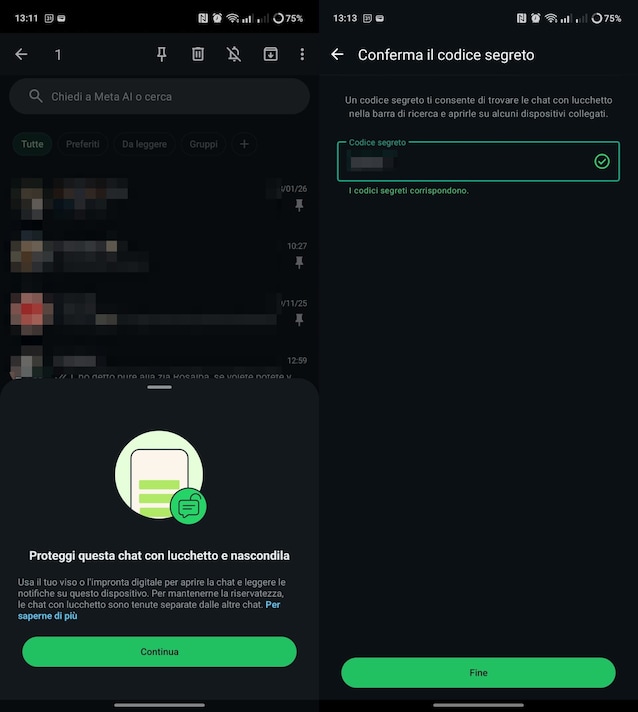
If we use a smartphone Androidthe procedure for locking a conversation with the function Chat lock it is very intuitive to do. To enable or disable protection, you must maintain a long press on the chat desired (whether single or group) and tap the button ⋮. From the menu, you must then select Activate padlock. The system will immediately check for the presence of an authentication method: if a screen lock (such as fingerprint or PIN) is not set, you will be asked to configure it mandatory. Once protected, the chat disappears from the main list. To find it again, you will need to scroll down the list of conversations until the entry appears Chat with padlock. By tapping the latter and performing biometric authentication, you will have access to the messages in the chat protected by the padlock.
As for enhanced privacy, it is possible create a secret code customized by going to the settings inside the blocked chats folder. Once set, this code allows you to completely hide the folder from the chat list. In this case, to view it again, you will need to type the secret code in the WhatsApp search bar. To set the secret code, therefore, you need to go to the section Chat with padlockand then tap the items ⋮ > Chat lock settings. Afterwards, you have to move up Hon the option Hide chat with padlockselect Create secret code, type it in the appropriate field, tap After youconfirm it with a second typing and touch End.
How to activate the Chat Lock feature on iPhone
Moving on to the side iPhoneactivation follows a similar logic to what has already been seen on Android. To proceed, you need to go to the screen Chat of WhatsApp, make a long tap on the chat to hide and select the wording Activate padlock. At this point, you have to press on Continues (if necessary) and confirm with OK.
To access protected chats on iPhone, from the screen Chat of WhatsApp, you need to scroll down and tap on the wording Chat with padlock then confirming the identity via Face ID or Touch ID. Even on iOS there is the possibility of completely hiding this folder by setting a secret code (different from the iPhone unlock code) via the settings of the folder itself. To proceed, therefore, you need to go to the section Chat with padlock (as explained above), authenticate via Face ID or Touch ID and move up Hon the switch relating to Hide chat with padlock. Then, you need to tap on Create the secret codetype it, press on After youconfirm it and tap Done. follow the necessary instructions to set a personalized unlock code. Typing it into the search barthe item will appear that allows you to access chats with a padlock which, otherwise, is invisible.