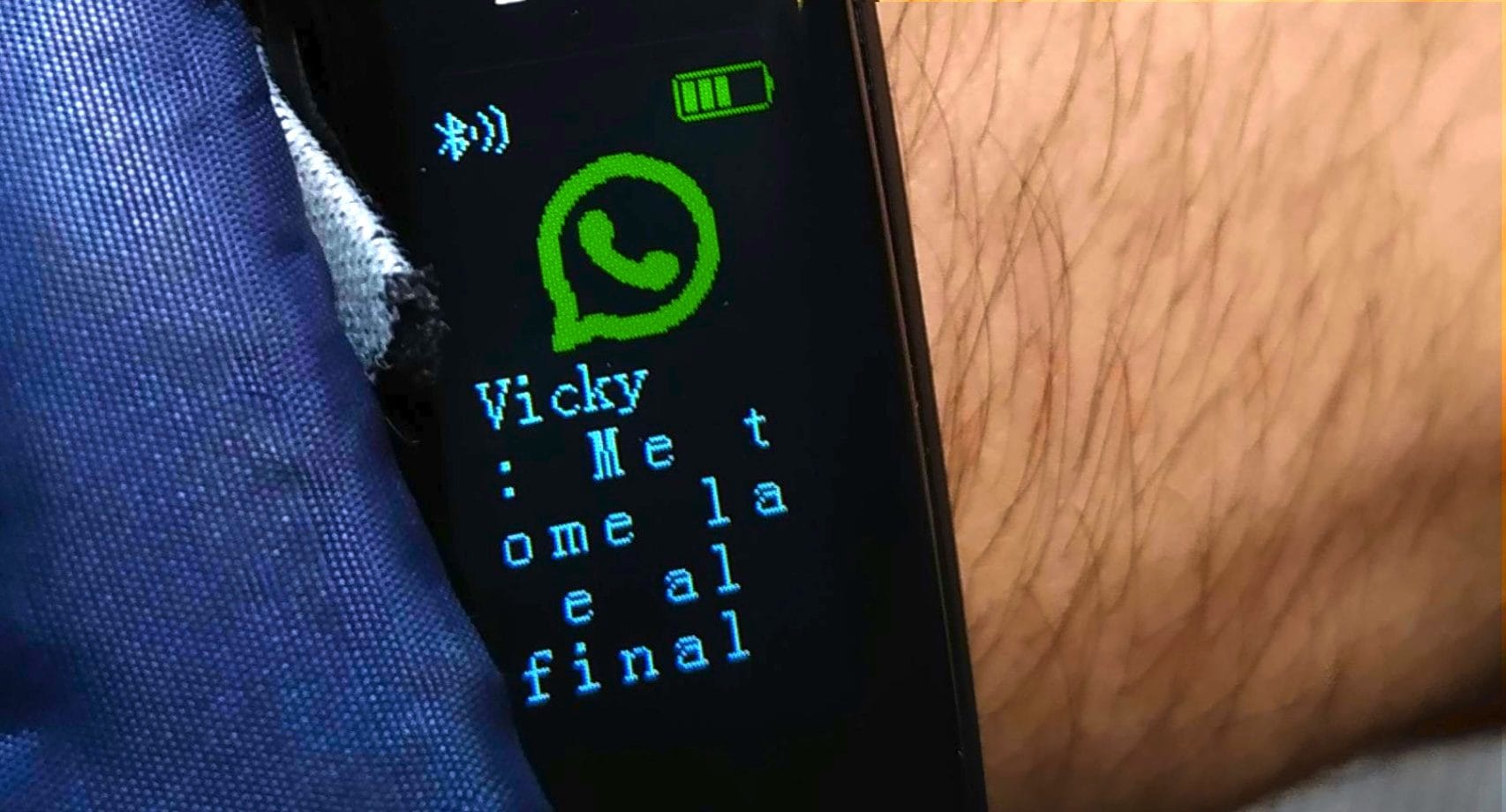
A group of researchers from the cybersecurity company Gen Digital has identified a sophisticated new social engineering technique that has the potential to endanger anyone with a WhatsApp account. All without violating the platform’s encryption protocols, but by taking advantage of some functions integrated into WhatsApp that allow you to perpetrate the GhostPairingis how the researchers defined the technique. Taking advantage of the option “Connected devices”cybercriminals silently insert an outside observer into our private conversations. This becomes possible by inducing the victim to authorize a new device (usually the attacker’s browser) making him believe he is completing a banal verification procedure to view multimedia content on an external platform, often disguised as Facebook.
The danger of this attack lies in theinvisibility enjoyed by the cyber criminal. The latter, in fact, does not prevent the user from continuing to use their phone to receive and send messages and, in this way, they can read the victim’s chat history, listen to voice notes, send messages impersonating the account owner and transforming the compromised profile into a bridge with which they can potentially spread the infection to all the contacts in the address book. Let’s see in more detail how GhostPairing works on WhatsApp and how to defend yourself.
How WhatsApp GhostPairing works
It usually starts with a notification that appears harmless, coming from a contact in our address book, a friend, a family member or a colleague who, unbeknownst to him, whose WhatsApp account has already been compromised. The text is short, colloquial and appeals to curiosity, with sentences like «Hey, I just found your photo!» followed by a hyperlink that takes you to an address, usually of this type:
- photobox.life
- postsphoto.life
- yourphoto.life
- photopost.live
- yourphoto.world
- top-foto.life
- fotoface.top
The origin of a message from a contact already present in the address book (rather than from an unknown number), the absence of gross grammatical errors and the invitation to open the link to see a photo of oneself, lowers defenses and can potentially induce the person receiving the message to carry out the proposed action driven by the curiosity that arises from the message received. Too bad that, by clicking on the link in question, you are not directed to a real social network, but to a web page that acts as bait and which faithfully replicates the graphic interface of Facebook, using its colors, logos and layout to generate a sense of familiarity and security in those who visit it. This fraudulent page warns us that, to view the promised image, it is necessary complete identity verification. It is at this point that the GhostPairing trap is triggered: the site is not trying to steal Facebook credentials, but is starting the procedure to connect a new device to our WhatsApp account in the background.
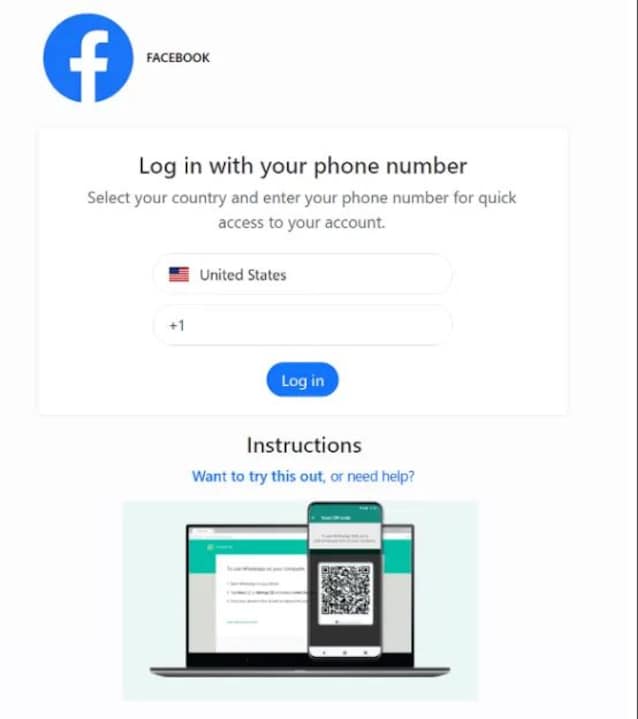
The technical mechanism on which this scam is based takes advantage of the option that allows you to associate WhatsApp Web or Desktop not only via the classic QR Code, but also by entering an alphanumeric code associated with your phone number. In the vast majority of cases, attackers prefer this second route because it can be performed entirely from the victim’s smartphone, without the need to frame external screens, making the process much more fluid and credible. Everything happens in five phases:
- The victim provides his mobile number on the fake Facebook page.
- The page delivers the collected number to WhatsApp’s legitimate “Connect a Device” feature.
- WhatsApp at this point generates an association code which should only be visible to the account owner.
- The site set up by the attacker takes that code and shows it to the victim with a text that suggests «enter it in WhatsApp to confirm access and see the photo».
- At this point, the victim opens WhatsApp, sees the pairing request and enters the code, thinking they are completing a legitimate security check.
Once the connection is established (or pairing), the intruder acts as a “ghost” device (in English ghosthence the name GhostPairing). From this moment he has real-time access to everything that passes through his victim’s account: he can read incoming and past messages, download photos and videos, listen to voice messages and steal sensitive information. Even more serious is the possibility of sending messages in the name of his victim; this allows the scam to self-propagate like wildfire by exploiting the trust that contacts place in the user, creating a “snowball” effect that is difficult to stop.
How to defend yourself from WhatsApp GhostPairing
For protect yourself from the risk of WhatsApp GhostPairingit is essential to remember a key aspect highlighted by security researchers at Gen Digital:
(You should) treat any request to scan a WhatsApp QR code or enter a numeric code from a web page as suspicious. Connecting to WhatsApp should happen from within the app and in response to a deliberate action, not because an external site tells you it’s necessary to view a file. (…) Enabling two-step verification in WhatsApp adds an additional obstacle to other types of account abuse. It’s not a complete solution, but it reduces the range of actions attackers can take once inside.
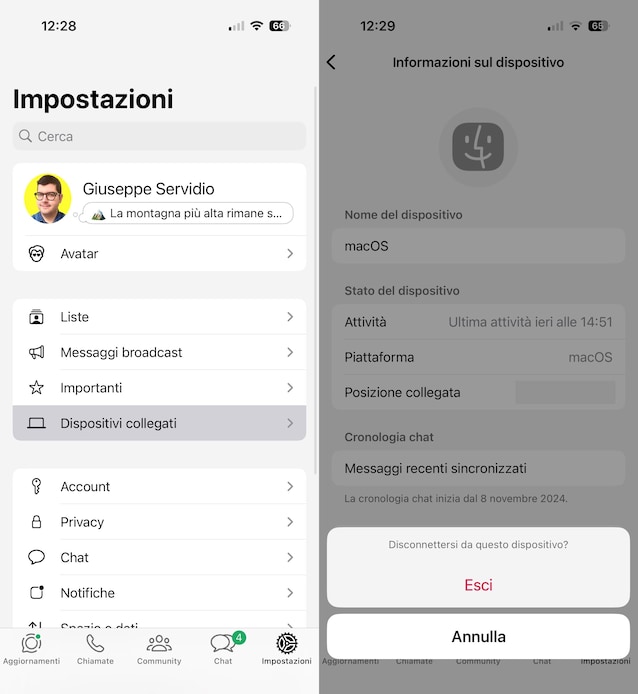
To make sure that your WhatsApp account is not being spied on via the GhostPairing technique, also do this check.
- Open theWhatsApp app and go to the section Settings > Connected devices.
- Carefully analyze thelist of connected devices to your account.
- If you notice a suspicious link, tap the device name to remove and select the entry You go out twice in a row.